![Asset 1.png]](https://knowledge.reachreporting.com/hs-fs/hubfs/Asset%201.png?height=22&name=Asset%201.png)
- What the Reach Connector Does
- Before You Start
- Step 1: Ask Grok Bot to Add the Connector
- Step 2: Sign In to Reach
- Step 3: Design Your First Report
What the Reach Connector Does
The Reach connector lets you design and edit Reach reports by chatting with Grok Bot. You describe the report in plain language and Grok Bot reads your company's real financials, builds it in Reach, and gives you a preview to open.
Before You Start
- A Reach Reporting account with at least one AI-enabled company or workspace.
- The Grok Bot desktop app, installed and signed in.
Step 1: Ask Grok Bot to Add the Connector
Reach is not in Grok Bot's app catalog, and it does not need to be. Don't look in Connect apps. There is no field there for a custom address. Ask in the chat instead:
"I want to add a connection to a new mcp connector https://api.reachreporting.com/mcp"
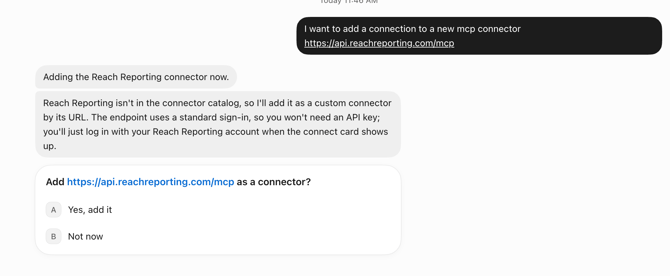
Choose Yes, add it.
Step 2: Sign In to Reach
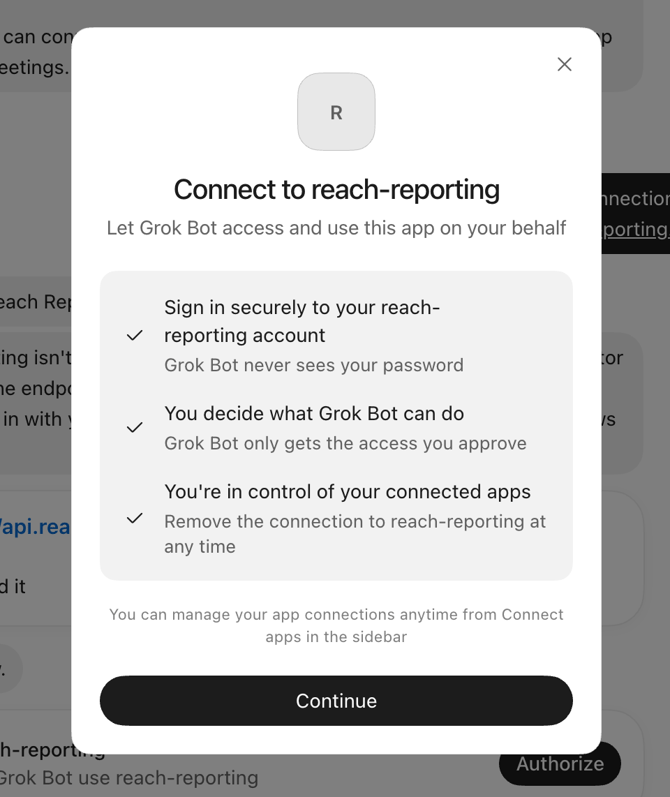
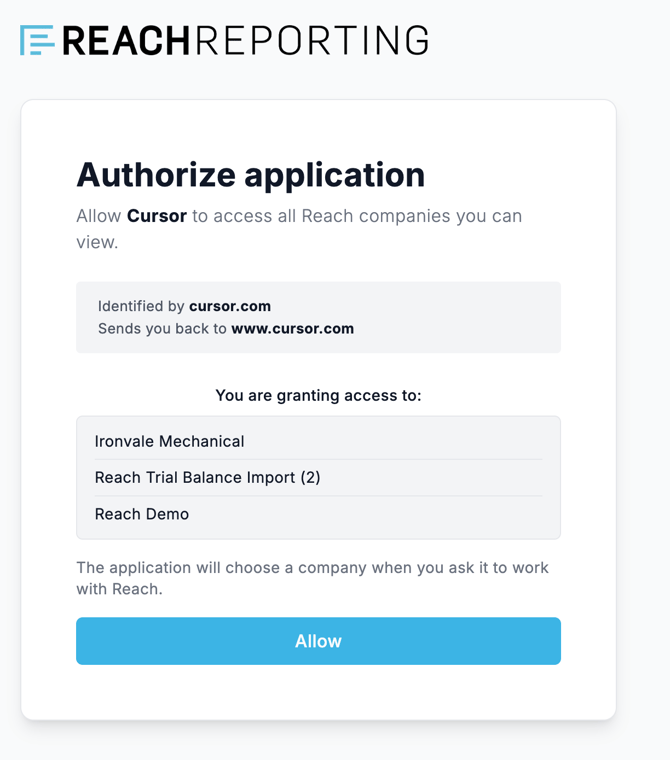
The authorize screen says "Allow Cursor". That is expected and not a mistake. Grok Bot is built by the same company as the Cursor editor and signs in to Reach using Cursor's application identity. You are connecting Grok Bot.
Choose Allow, then Open Grok Bot when your browser asks. You only do this once, and one connection covers your whole firm.
Step 3: Design Your First Report
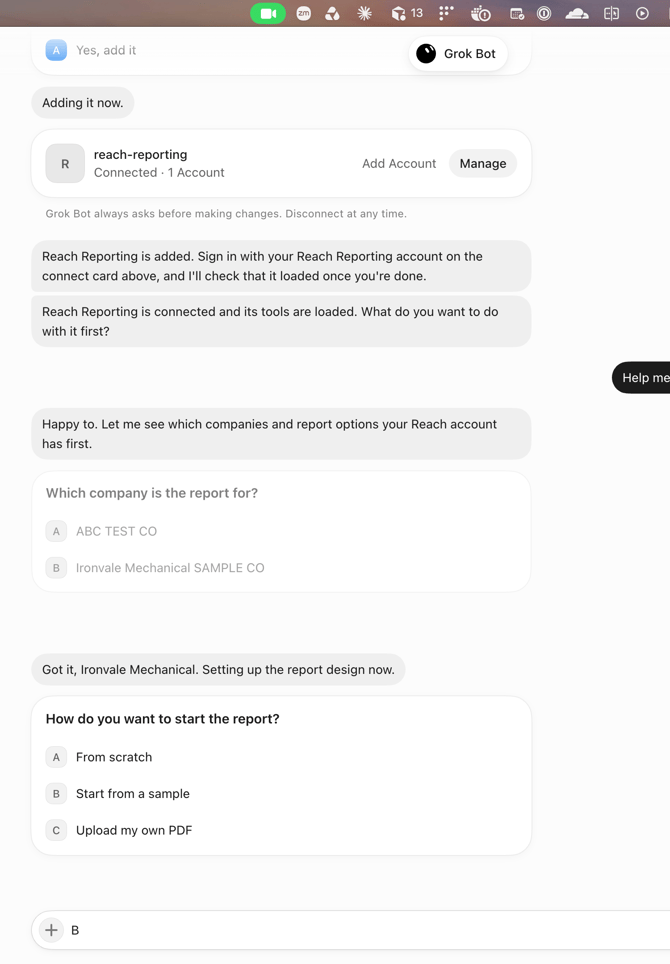
Start with "Help me design a report in Reach Reporting." Grok Bot asks which company to use, then how you want to start: from scratch, from a sample, or from a PDF you upload. Each question is a short list; answer by typing the letter or in your own words.
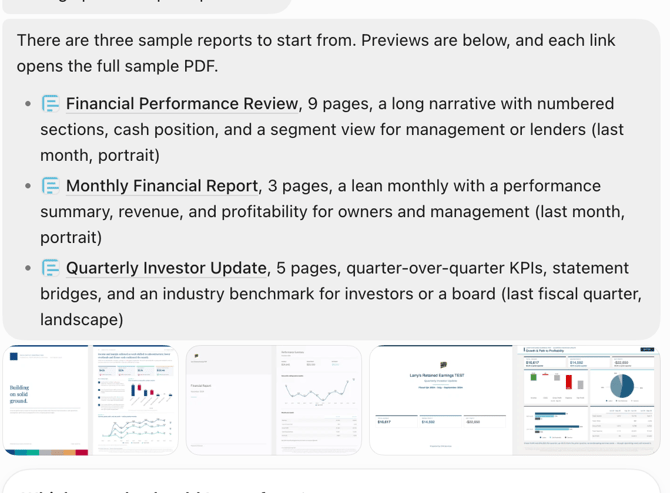
It reads the company's real financials, offers things worth featuring drawn from the actual figures, and confirms the whole brief before building anything.
The build takes several minutes. When it is done you get a link to the print preview. Those links expire, so ask for a fresh one if you come back later.
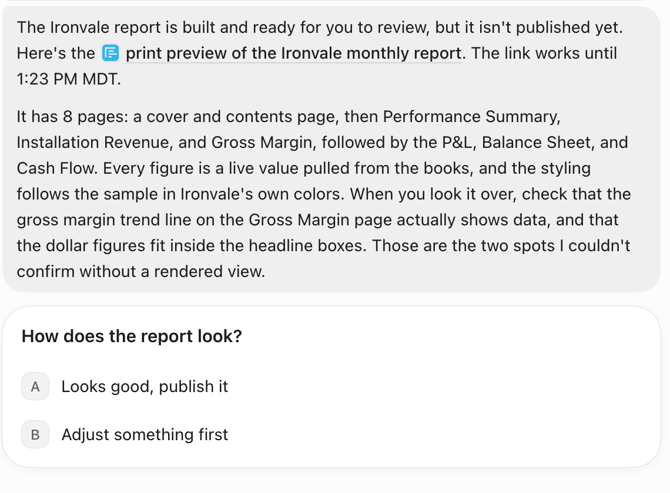
Keep going in plain language, like "make revenue a bar chart, add a cash-flow page", and Grok Bot sends a new preview each time. When it looks right it asks you to confirm. Nothing goes live until you say so.